
Automated Budgeting Apps for Freelancers in the USA: The 2026-27 Comparison
Freelance income in the US swings by as much as 40% month to month, according to Freelancers Union survey Data. A graphic designer might invoice $9,000 in March and $3,200 in April. No employer smooths that gap. No HR department withholds taxes. The freelancer carries the full weight of that volatility alone.
This is why generic budgeting advice fails self-employed workers. Templates built for a biweekly paycheck cannot handle a 1099 income stream, quarterly estimated tax deadlines, or the constant task of separating business expenses from personal ones. Automated budgeting apps solve a narrower, harder problem than the one most personal finance content addresses.
This guide breaks down the tools that actually work for US freelancers, what each one gets right, and where each one falls short.
Why Freelancers Need a Different Budgeting Approach
A W-2 employee opens a budgeting app and sees the same deposit every two weeks. A freelancer opens the same app and sees chaos: three client payments, one refund, a late invoice, and a $1,800 gap where a paycheck should be.
Three problems show up again and again for self-employed users in the US.
Irregular Cash Flow
Income arrives in lumps. Without a system, freelancers either overspend right after a big payment or panic during a slow month. A budgeting app built for freelancers needs to average income over rolling months, not just track a single pay cycle.
Quarterly Estimated Taxes
The IRS requires most self-employed people to pay estimated taxes four times a year, on dates that fall in April, June, September, and January. Missing these payments triggers penalties even if the full tax bill gets paid by April 15. A freelancer who does not set aside 25% to 30% of each payment for taxes is often surprised by a bill they cannot cover.
Mixed Personal and Business Spending
Many freelancers use one bank account for everything. That makes it hard to know true profit, hard to claim deductions accurately, and hard to prepare for an audit. Automated categorization only helps if the app can reliably separate a client dinner (deductible) from a personal one (not deductible).
Top Automated Budgeting Apps for Freelancers, Compared
The four apps below get referenced constantly in personal finance circles. Here is how they actually perform for a freelancer managing irregular income and self-employment taxes.
Monarch Money
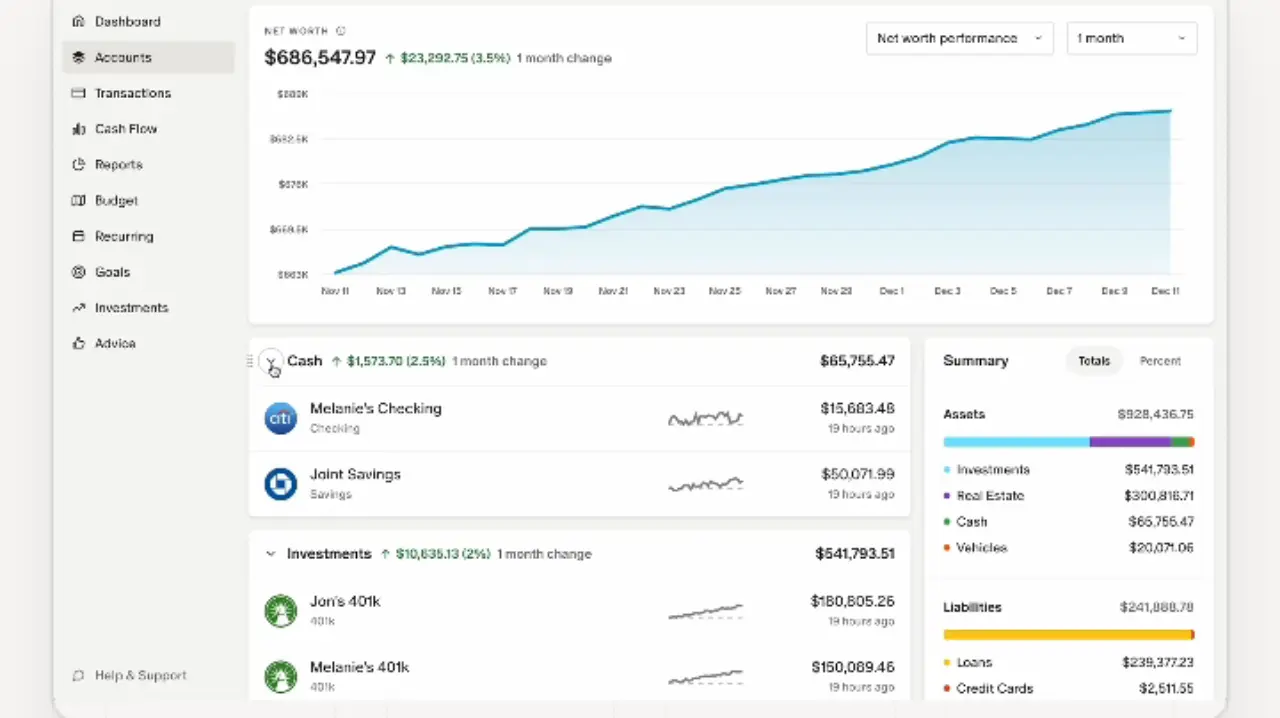
Monarch links to bank accounts, credit cards, and investment accounts, then builds a full net worth and cash flow picture. It supports custom categories, which matters for freelancers who need to separate client payments by business line or track deductible expenses like software subscriptions and home office costs.
Its biggest strength is flexibility. Users can build a rolling average of income across several months instead of budgeting off a single paycheck. The tradeoff is that Monarch does not automatically calculate tax savings. Freelancers have to build that rule themselves using a savings target or a separate category.
YNAB (You Need A Budget)
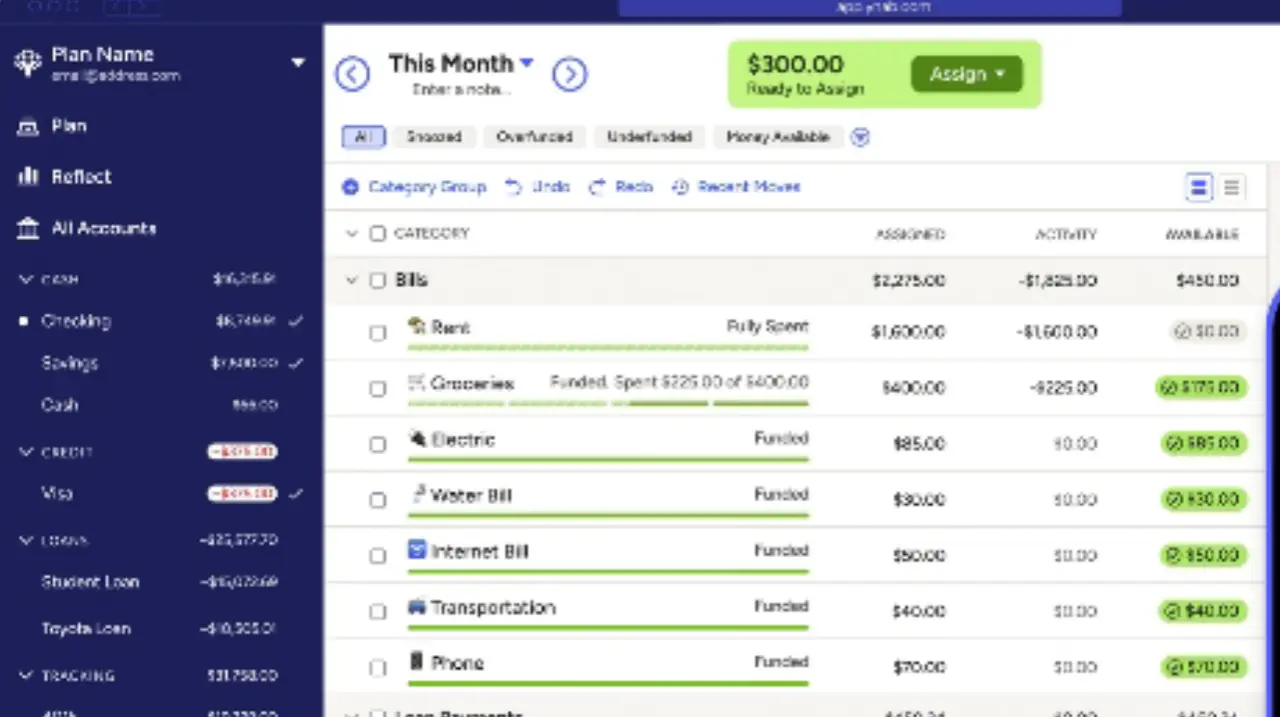
YNAB runs on a zero based budgeting method: every dollar gets assigned a job the moment it arrives. This method fits freelancers unusually well, because it does not assume a predictable paycheck. When a $4,000 invoice clears, the freelancer immediately allocates portions to rent, tax savings, business expenses, and personal spending.
YNAB does not do this automatically. The user has to build the tax savings category by hand and move money into it manually or through a set percentage rule. It also has a steeper learning curve than the other three apps here. But for freelancers who want direct control over every dollar, YNAB remains a strong pick, and it is the app most often recommended by accountants working with self-employed clients.
PocketGuard
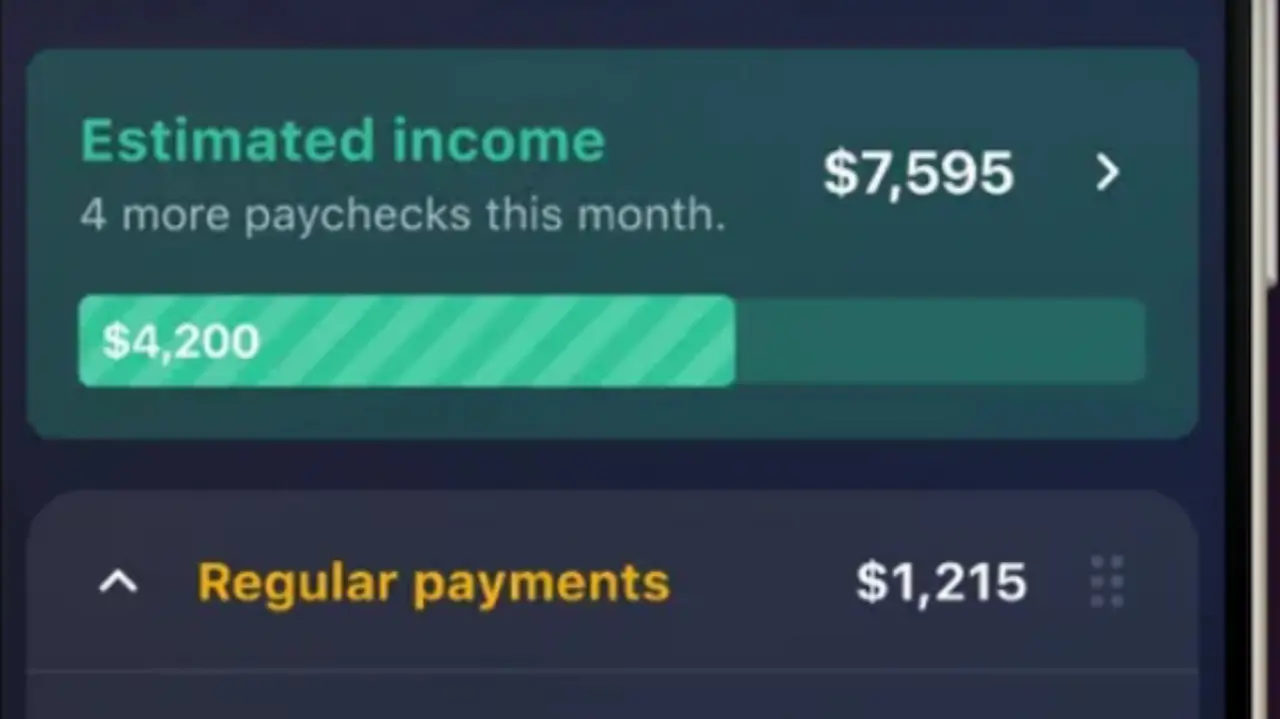
PocketGuard's core feature is the "In My Pocket" number, which shows how much is safe to spend after bills, goals, and savings targets are covered. For a freelancer trying to avoid overspending right after a big payment, this single number is useful.
Where PocketGuard falls short is depth. It does not offer the granular business expense tracking that self-employed users need for tax season, and its reporting is thinner than Monarch or YNAB. It works best as a simple guardrail, not as a full financial operating system for a freelance business.
Copilot
Copilot is built primarily for iOS and uses machine learning to auto-categorize transactions with high accuracy over time. Its interface is clean, and its investment tracking is strong. For freelancers with growing income who also invest, Copilot handles both sides well.
The limitation is platform availability. Freelancers on Android or those who need a web dashboard for daily use will find Copilot restrictive. It also lacks a dedicated quarterly tax savings feature, similar to Monarch and PocketGuard.
Quick Comparison
| App |
Best For |
Tax Savings Automation |
Platform |
Monarch Money
|
Full net worth tracking, custom categories |
Manual rule needed |
Web, iOS, Android |
| YNAB |
Zero based budgeting, irregular income
|
Manual rule needed |
Web, iOS, Android |
PocketGuard
|
Simple overspending guardrail
|
Not built in
|
Web, iOS, Android
|
| Copilot |
iOS users, investment tracking |
Not built in |
iOS only
|
None of the four apps automatically calculates and sets aside IRS quarterly tax payments. Freelancers still need to build that habit manually, typically by moving 25% to 30% of each payment into a separate savings account the day it arrives.
How to Calculate Rolling Average Income for Freelancers
A single good month can trick a freelancer into overspending. A single slow month can trigger unnecessary panic. Rolling average income fixes both problems by smoothing out the noise and showing what a freelancer actually earns over time.
Step 1: Pull Your Last Three to Six Months of Deposits
Gather total business income received for each of the last three to six months. Use actual deposits, not invoiced amounts. An invoice sent in March but paid in April counts as April income, since that is when the cash is available to spend.
Step 2: Add the Months Together and Divide
Add up total income across the chosen period, then divide by the number of months. Six months is more accurate than three for freelancers with seasonal work, since it captures a full slow season and a full busy season in the same calculation.
Example: A freelance copywriter earns $6,200, $2,800, $9,100, $3,400, $5,600, and $4,900 over six months. That totals $32,000. Divided by six, the rolling average is $5,333 per month.
Step 3: Budget Off the Average, Not the Highs
Set fixed monthly expenses, tax savings, and discretionary spending against the $5,333 figure, not against whichever number showed up last. Money earned above the average in a strong month gets routed to savings or debt paydown. Money needed in a weak month gets pulled from that same buffer instead of a credit card.
Step 4: Recalculate Every Month
Drop the oldest month and add the newest one each time a new month closes. This keeps the average current without overreacting to a single unusual payment. A freelancer who lands one large one-time project should not treat that spike as their new normal income floor.
Step 5: Rebuild the Average After a Major Business Change
A new long-term client, a lost contract, or a shift from part-time to full-time freelancing changes the underlying income pattern. When that happens, restart the average using only months from after the change, even if that means working with two or three months of data instead of six.
Apps like Monarch Money and YNAB can display trends over time, but neither one runs this calculation automatically. Freelancers still need to do this math by hand, or in a simple spreadsheet, and then manually set that number as their budgeted income inside the app.
How to Set Up Any of These Apps for Freelance Income
- Connect all business and personal accounts, even if they are at different banks.
- Create a dedicated tax savings category and fund it the same day every invoice clears.
- Set your budget off a three month rolling average of income, not last month's number.
- Tag every transaction as business or personal at the time it happens, not weeks later.
- Review categorized spending monthly against actual deductible expense records for tax filing.
Recommended Article for You:
Fix Claude Error 400: Fast Login & Session Troubleshooting
Click Here to Read
Frequently Asked Questions
What is the best budgeting app for self-employed people in the US?
There is no single best option. YNAB fits freelancers who want hands-on control over every dollar. Monarch Money fits those who want a full net worth view with flexible custom categories.
Do budgeting apps calculate quarterly estimated taxes automatically?
No. Monarch, YNAB, PocketGuard, and Copilot all require the user to manually set up a tax savings rule or category. None of them file or calculate IRS Form 1040-ES estimates directly.
How much should freelancers set aside for taxes from each payment?
Most tax professionals recommend setting aside 25% to 30% of gross freelance income, depending on state tax rates and total annual earnings. Higher earners in high tax states should lean toward the upper end of that range.
Can I use a personal budgeting app for my freelance business?
Yes, as long as the app supports custom categories and multiple linked accounts. Freelancers with more complex bookkeeping needs, like inventory or payroll, may eventually need dedicated small business accounting software instead.
Is YNAB or Monarch Money better for irregular income?
Both handle irregular income well, but through different methods. YNAB assigns every dollar a job as it arrives. Monarch builds a rolling average view of income and spending over time. The right choice depends on whether the user prefers hands-on allocation or automated trend tracking.
⚖️Legal Disclaimer
This article is for informational purposes only and does not constitute financial, tax, legal, or accounting advice. The Dollar Craft is not a licensed financial advisor, tax preparer, or CPA firm. Product features, pricing, and platform availability for Monarch Money, YNAB, PocketGuard, and Copilot are subject to change and should be verified directly with each provider before making a decision. Readers should consult a qualified tax professional or financial advisor regarding their individual circumstances, including IRS quarterly estimated tax obligations. The Dollar Craft does not guarantee any specific financial outcome from the use of any app, tool, or strategy mentioned in this article.


Comments
Post a Comment